Hey there! If you’re diving into the world of WordPress, you’ve probably realized that keeping your site in tip-top shape is a bit like tending to a garden. It needs regular care and attention to thrive. Whether you’re a seasoned pro or just starting out, understanding the ins and outs of WordPress maintenance can make all the difference in how smoothly your site runs. From updates and backups to security checks, there’s a lot to consider. But don’t worry, we’re here to guide you through it all with some practical tips and insights. Let’s get started on making your WordPress site not just functional, but fantastic!
- Maintaining your WordPress site is like giving it a regular health check-up. Keep everything updated to enjoy new features and protect against vulnerabilities.
- Backups are your safety net. They let you restore your site quickly if something goes wrong, so make them a regular habit.
- A good maintenance plan saves you time and stress, ensuring your website stays secure, performs well, and offers a smooth user experience.
- Choosing the right maintenance plugin can enhance your site’s functionality. Look for features like full-screen background customization and Google Analytics support.
- Select a maintenance plan that fits your needs. Whether it’s an Economy Plan for basic needs or an Enterprise Plan for comprehensive support, align it with your website’s goals.
- Security is crucial. Regular scans help detect threats early, protecting both your site and its visitors.
- Optimizing performance involves tasks like database cleanup and managing spam comments to keep your site fast and efficient.
- Cost-effective solutions like developer licenses can help maintain a high-performing site without breaking the bank.
- Handle updates carefully to avoid compatibility issues. Test updates in a staging environment first and always back up before applying changes.
Understanding WordPress Maintenance
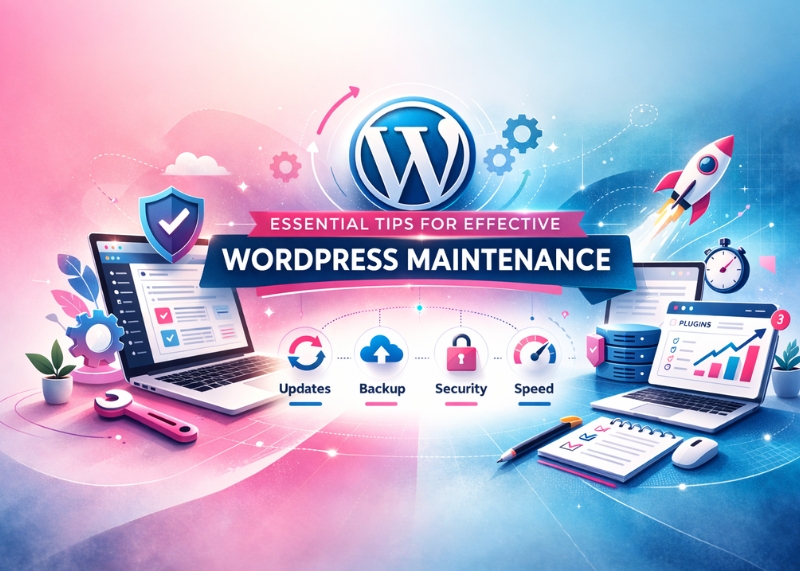
Maintaining a WordPress site is like keeping your car in top shape; it requires regular attention to ensure everything runs smoothly. Regular updates, backups, and security checks are essential components of this process. By keeping your WordPress core, plugins, and themes up-to-date, you not only benefit from the latest features but also protect your site from vulnerabilities. Backups act as a safety net, allowing you to restore your site quickly if something goes wrong. Security checks help identify potential threats before they become serious issues.
Having a maintenance plan in place can save you time and stress in the long run. A well-structured plan ensures that:
- Your website remains secure with regular security scans and updates.
- Backups are performed regularly, providing peace of mind knowing you can recover your site if needed.
- Performance is optimized, ensuring fast loading times and a smooth user experience.
By investing in a maintenance plan, you’re not just maintaining your website; you’re enhancing its reliability and longevity. This proactive approach allows you to focus on what truly matters—delivering great content and services to your audience.
Key Features of a Reliable Maintenance Plugin
When it comes to maintaining your WordPress site, choosing the right maintenance plugin can make all the difference. A reliable plugin should offer a variety of features that not only enhance the functionality of your site but also ensure its smooth operation. One of the standout features to look for is full-screen background customization. This allows you to tailor the appearance of your maintenance page, making it visually appealing and consistent with your brand’s identity. Additionally, having a user login on the frontend is crucial. This feature enables users to access certain parts of your site even when it’s under maintenance, ensuring that essential interactions aren’t interrupted.
Another important aspect is Google Analytics support. By integrating this feature, you can continue to track visitor data and understand user behavior even during downtime. Moreover, compatibility with popular caching plugins is a must-have. It ensures that your site’s performance isn’t hindered by maintenance activities. When evaluating plugins, consider those that offer these functionalities as they provide a comprehensive solution for keeping your website operational and efficient. Here’s a quick checklist of features to look for:
- Full-screen background customization
- User login on frontend
- Google Analytics support
- Compatibility with caching plugins
By focusing on these features, you’ll be better equipped to handle any maintenance needs while ensuring an optimal experience for your users.
Choosing the Right Maintenance Plan for Your Needs
When it comes to selecting a WordPress maintenance plan, it’s all about finding the right fit for your website’s unique needs. Whether you’re running a small blog or managing a large e-commerce platform, understanding the differences between various plans can make all the difference. For instance, an Economy Plan might be perfect if you’re just starting out and need basic features like weekly backups and monthly updates. On the other hand, a Business Plan could offer more robust options such as daily backups and fortnightly updates, along with additional perks like security scans and uptime monitoring.
For those who require comprehensive support, the Enterprise Plan is worth considering. This plan typically includes daily backups, weekly updates, and advanced features like SEO rank tracking and performance benchmarks. Here’s a quick comparison to help you decide:
- Economy Plan: Weekly Backups, Monthly Updates
- Business Plan: Daily Backups, Fortnightly Updates, Security Scans
- Enterprise Plan: Daily Backups, Weekly Updates, SEO Rank Tracking
The key is to evaluate what each plan offers in terms of backup frequency and update schedules while also considering any additional features that might benefit your site. By aligning these elements with your website’s goals, you can ensure that your WordPress site remains secure and performs at its best.
The Role of Security in WordPress Maintenance
When it comes to maintaining your WordPress site, security should be at the forefront of your strategy. Regular security monitoring is not just a precaution—it’s an essential part of keeping your website safe from potential threats. By conducting frequent security scans, you can detect malware and vulnerabilities early on, which helps in safeguarding your site for visitors. These scans act as a protective shield, identifying issues before they escalate into major problems.
Implementing a robust security plan involves several key actions that can make a significant difference. Here are some steps you might consider:
- Regular Security Scans: These help in identifying any malicious code or vulnerabilities that could compromise your site.
- Monitoring for Malware: Keeping an eye out for malware ensures that any harmful software is caught and dealt with promptly.
- Vulnerability Detection: Early detection of vulnerabilities allows you to patch them before they can be exploited by hackers.
By prioritizing these actions, you’re not only protecting your website but also ensuring a secure experience for your users. Remember, a secure website builds trust and credibility with your audience, making it an invaluable aspect of WordPress maintenance.
Optimizing Website Performance Through Maintenance
Regular maintenance is crucial for ensuring your WordPress website performs at its best. One of the key tasks is database optimization. Over time, your database can become cluttered with unnecessary data such as post revisions, trashed items, and spam comments. This clutter can slow down your site, making it less responsive to visitors. By routinely cleaning up your database, you can significantly improve load times and overall performance. Consider using plugins that automate this process, allowing you to focus on creating great content while your site runs smoothly in the background.
Another important aspect of maintaining optimal website performance is managing spam comments. These not only clutter your database but can also affect user experience and SEO rankings. Implementing a robust spam filter will help keep unwanted comments at bay. Additionally, conducting regular performance benchmarks is essential. These benchmarks provide insights into how well your site is performing and highlight areas that may need improvement. By staying proactive with these maintenance tasks, you ensure that your website remains fast, efficient, and ready to deliver an excellent user experience.
Cost-Effective Solutions for WordPress Maintenance
When it comes to maintaining your WordPress site, finding cost-effective solutions can make a significant difference in your budget. One smart approach is to leverage developer licenses and GPL versions of popular plugins. These options allow you to access premium features without the hefty price tag. For instance, using developer licenses can provide you with access to multiple sites under one license, which is perfect if you’re managing several websites. Similarly, GPL versions offer a legal way to use plugins at a reduced cost or even for free, as they are shared under the General Public License.
Integrating these cost-saving strategies into your maintenance plan not only helps in reducing expenses but also ensures that your website remains up-to-date and efficient. Consider the potential savings on popular plugins like:
- Elementor Pro: Save around $70 annually.
- Crocoblock: Potential savings of $293 per year.
- Gravity Forms: Approximately $87 saved each year.
By strategically selecting and utilizing these resources, you can maintain a high-performing website without breaking the bank. This approach not only optimizes your site’s functionality but also aligns with a sustainable financial strategy for long-term success.
Handling Updates and Compatibility Issues
Managing updates for your WordPress site is crucial to maintaining its functionality and security. Regular updates to the WordPress core, plugins, and themes ensure that your website benefits from the latest features and security patches. However, these updates can sometimes lead to compatibility issues that may disrupt your site’s performance. To effectively manage these updates, it’s important to have a strategy in place. Consider scheduling updates during low-traffic periods to minimise potential disruptions. Additionally, always back up your site before applying any updates. This way, if something goes wrong, you can easily revert to a previous version.
When it comes to handling compatibility issues, there are several strategies you can employ. First, test updates in a staging environment before applying them to your live site. This allows you to identify and resolve any conflicts without affecting your visitors. If an update causes issues, consider rolling back the plugin or theme version until a fix is available. It’s also beneficial to keep an eye on plugin changelogs and community forums for any reported issues or solutions. By staying informed and prepared, you can ensure that your WordPress site remains stable and secure even as new updates are released.
Summary
Maintaining a WordPress site is much like keeping your car in good condition; it needs regular attention to function smoothly. Regular updates, backups, and security checks are vital. By ensuring your WordPress core, plugins, and themes are up-to-date, you not only enjoy the latest features but also shield your site from vulnerabilities. Backups serve as a safety net, allowing for quick restoration if something goes awry. Security checks help spot potential threats before they escalate into major issues.
Having a maintenance plan can save you time and stress down the line. A well-organized plan ensures your website stays secure with regular scans and updates, backups are done regularly for peace of mind, and performance is optimized for fast loading times and a seamless user experience. Investing in such a plan enhances your site’s reliability and longevity, letting you focus on delivering great content and services to your audience.
FAQ
How often should I perform maintenance on my WordPress site?
It’s a good idea to check in on your WordPress site at least once a month. This includes updating plugins, themes, and the WordPress core, as well as running security scans and backups. If your site has high traffic or is business-critical, you might want to consider more frequent checks.
What are some signs that my WordPress site needs maintenance?
If your site is loading slowly, experiencing frequent downtime, or if you notice unusual activity such as spam comments or unexpected changes, it might be time for some maintenance. Regularly scheduled maintenance can help prevent these issues from arising in the first place.
Can I handle WordPress maintenance myself, or should I hire a professional?
If you’re comfortable with technology and have some time to dedicate to learning the ropes, you can certainly manage basic maintenance tasks yourself. However, if you’re short on time or prefer focusing on other aspects of your business, hiring a professional can ensure everything runs smoothly without added stress.
Are there any risks involved with not maintaining my WordPress site?
Neglecting regular maintenance can lead to security vulnerabilities, slower performance, and even data loss. Outdated plugins or themes can be exploited by hackers, potentially compromising your site’s security and reputation.
What should I do if an update causes issues on my site?
If an update causes problems, try rolling back to the previous version using your backup. It’s also helpful to test updates in a staging environment before applying them live. If you’re unsure how to proceed, consulting with a professional might be the best course of action.
How can I ensure my website remains secure during maintenance?
Regularly updating all components of your WordPress site is crucial for security. Additionally, use strong passwords, limit login attempts, and consider installing a security plugin that offers features like firewall protection and malware scanning.
What are some cost-effective tools for WordPress maintenance?
Look for plugins that offer developer licenses or GPL versions for budget-friendly options. These allow access to premium features at reduced costs. Popular choices include Elementor Pro and Gravity Forms under developer licenses.
Is it necessary to have a staging environment for updates?
A staging environment isn’t strictly necessary but highly recommended. It allows you to test changes without affecting your live site. This way, you can catch potential issues early and ensure everything works smoothly before going public.
How do I choose the right maintenance plan for my website?
Your choice depends on your site’s size and complexity. Smaller sites might do well with basic plans offering weekly backups and monthly updates. Larger sites may benefit from more comprehensive plans with daily backups and additional features like SEO tracking.
What role does database optimization play in website performance?
A cluttered database can slow down your site significantly. Regularly cleaning up unnecessary data like post revisions and spam comments helps maintain optimal performance and ensures quick load times for visitors.